
Setup Guide
Set up your Memra One
Pick your device and your app. About two minutes.
1. What are you studying on?
2. Which app?
First, pair the remote
- First time on a new device: hold Home + B together until the edge light flashes, then release. The remote is now discoverable.
- Open Bluetooth settings on your device and connect to “Xbox Wireless Controller”. That is the remote.
- Every time after that: just press Home. It powers on and reconnects to the last device automatically.
Quizlet on Windows or Mac
Quizlet runs through our free browser extension. It only loads on Quizlet and YouTube, and it collects nothing.
- Install the Memra extension for Chrome or Edge.
- Open your Quizlet set and click Flashcards.
- If the set was already open, reload the tab once.
- Press a button. That is it, there is nothing to configure.
What the buttons do
- Y Flip card
- B Know (next card)
- X Still learning
On YouTube the same buttons play/pause and skip 5 seconds, so lecture videos work too.
Anki on Windows or Mac
Anki uses our own add-on, installed from inside Anki itself.
- Open Anki and go to Tools → Add-ons → Get Add-ons...
- Paste the code 1449941583 and click OK.
- Restart Anki.
- Start reviewing a deck and press a button.
What the buttons do
- Y Show Answer, then Good
- B Again
- X Hard
- A Easy
- R Undo
- D-pad Up / Down to move through the deck list, Left to go back
AnkiMobile on iPhone or iPad
AnkiMobile has gamepad support built in, so there is usually nothing to set up. Pair the remote and start reviewing. If you want to change what a button does, here is where:
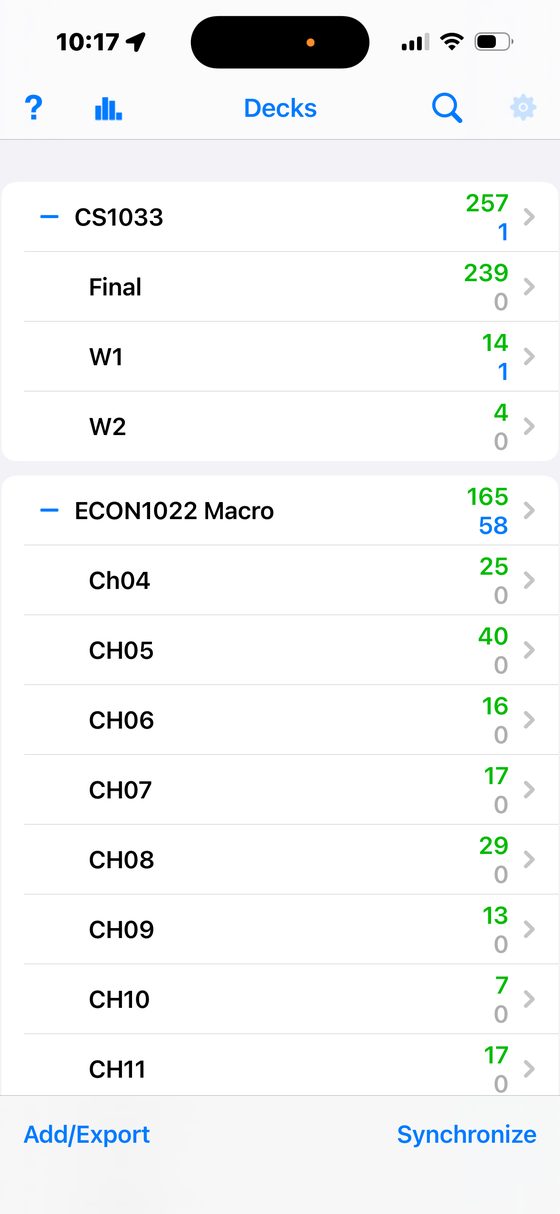 1. Open Anki, tap the gear at the top right
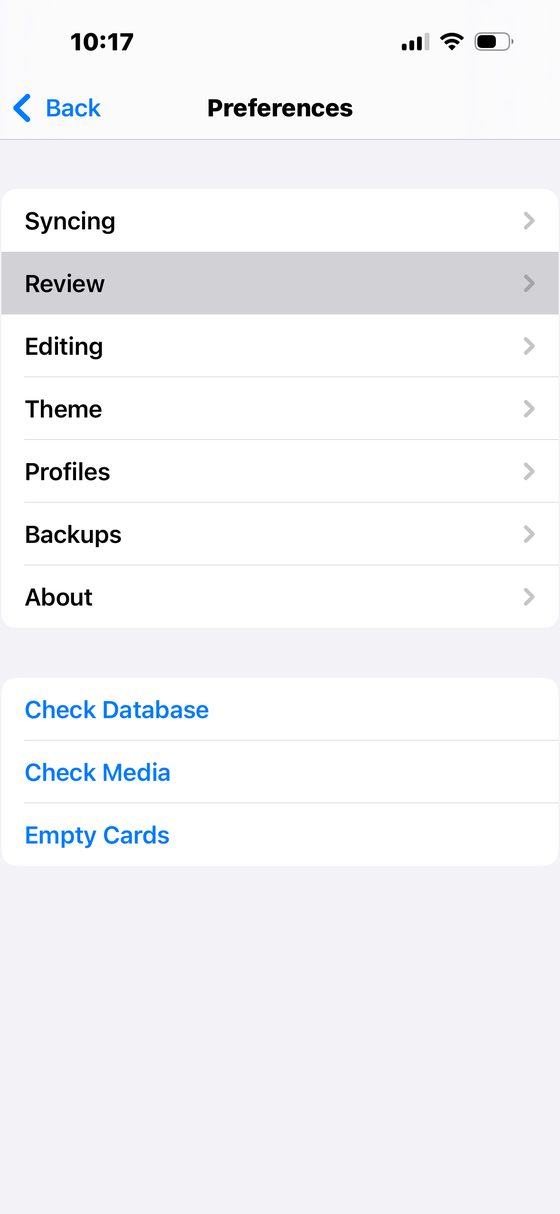 2. Preferences → Review
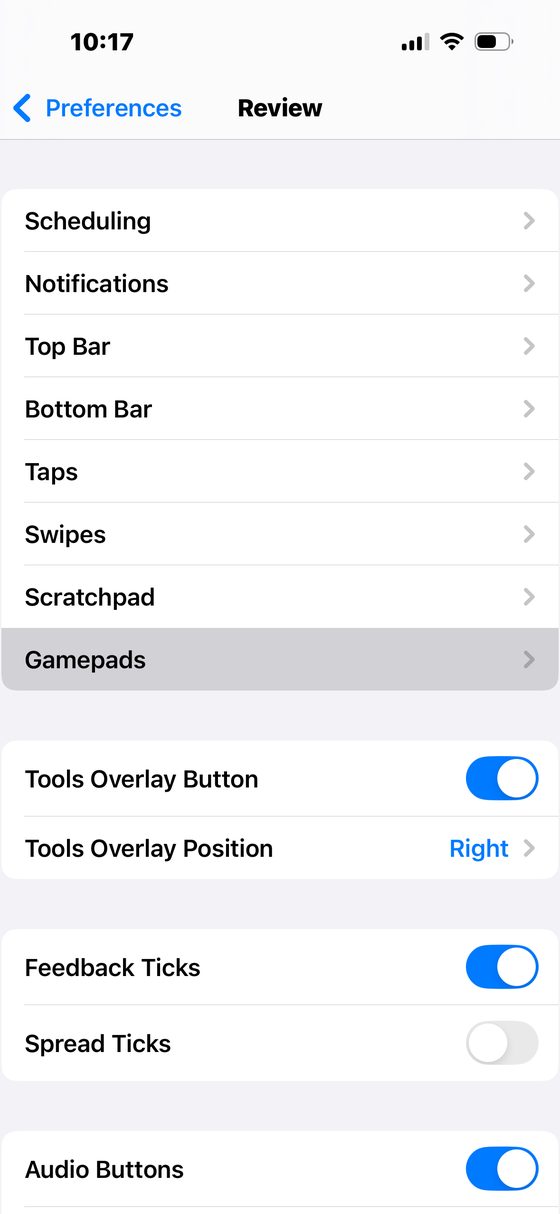 3. Scroll down to Gamepads
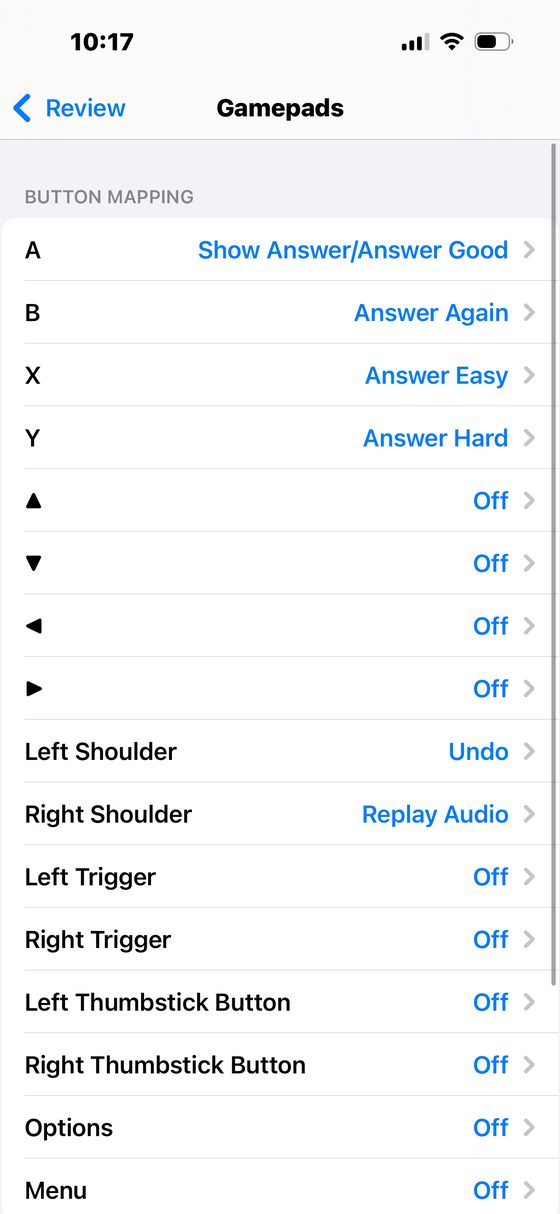 4. Set each button. Done.
Quizlet on iPhone or iPad
Quizlet's iOS app has no gamepad support, so we use iOS Switch Control instead. It takes a few minutes once, then it works every time. Do this after the remote is paired.
Part 1: create a switch for each button
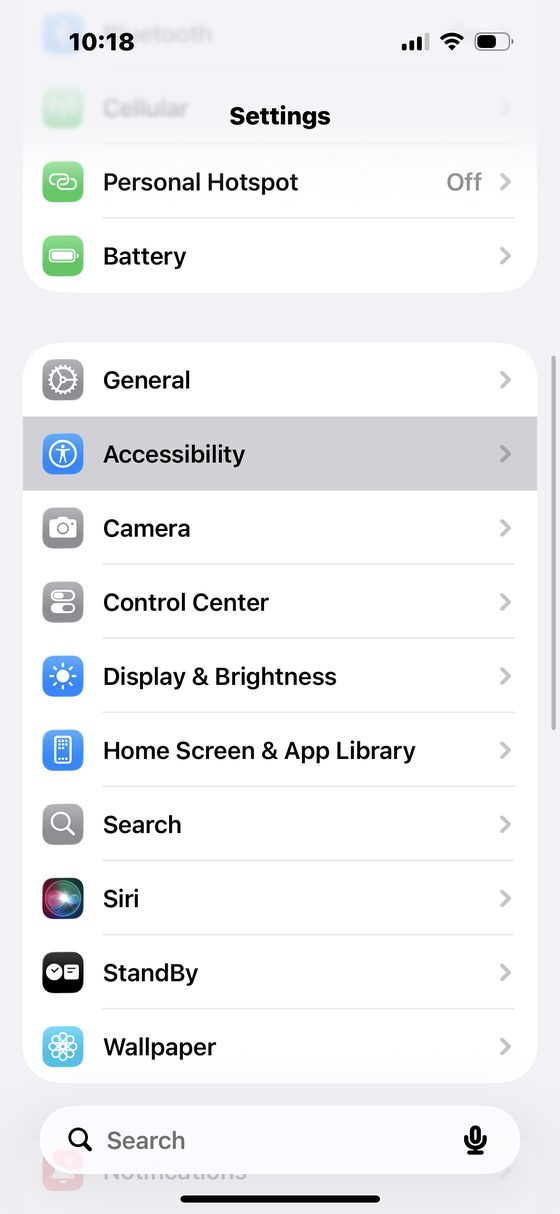 1. Settings → Accessibility
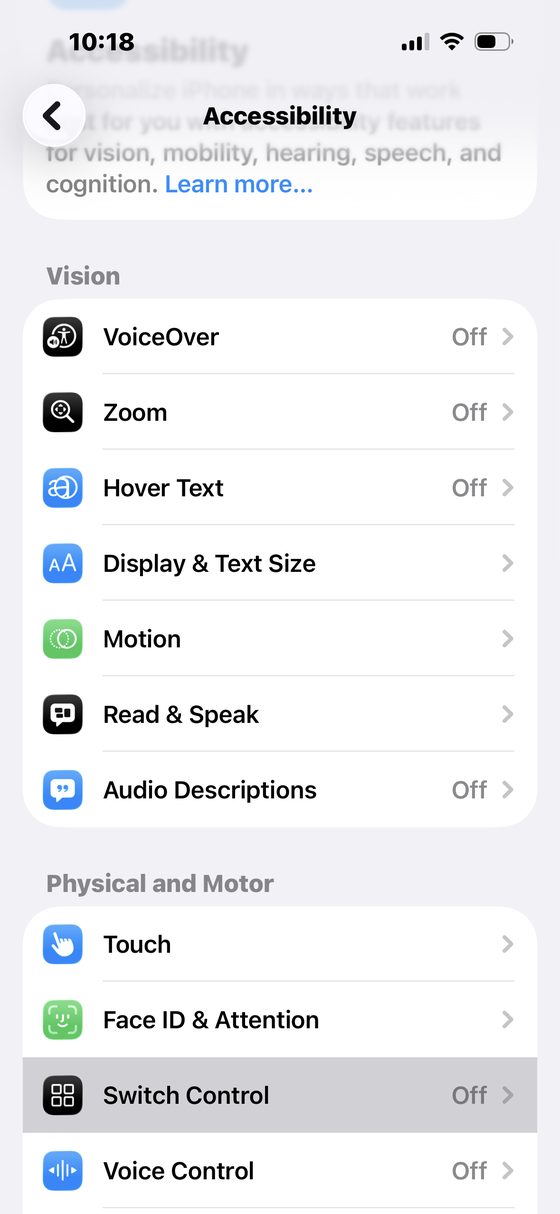 2. Switch Control
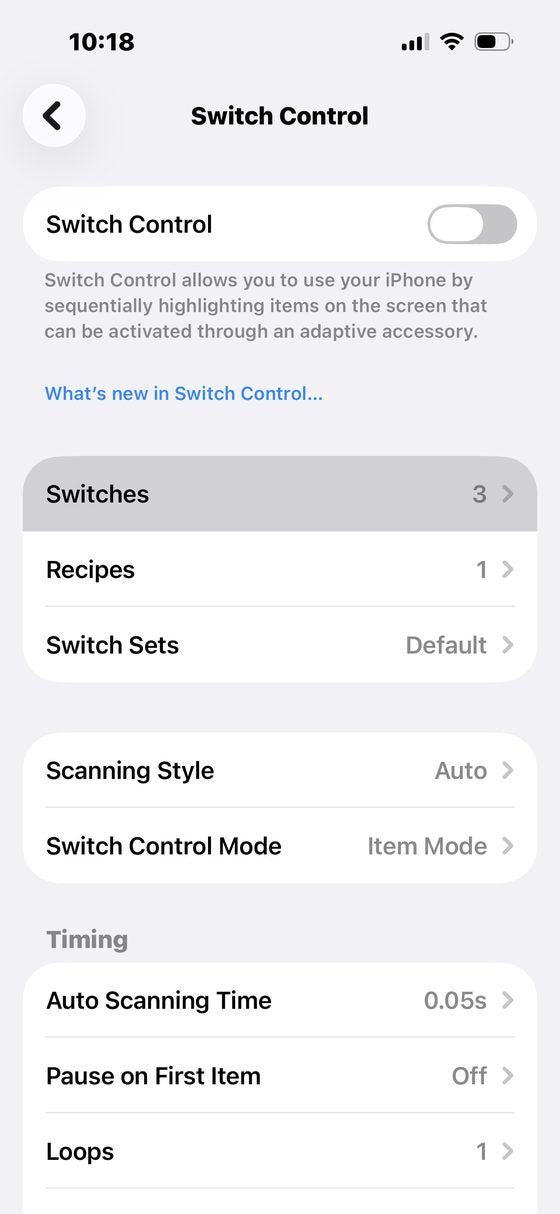 3. Switches
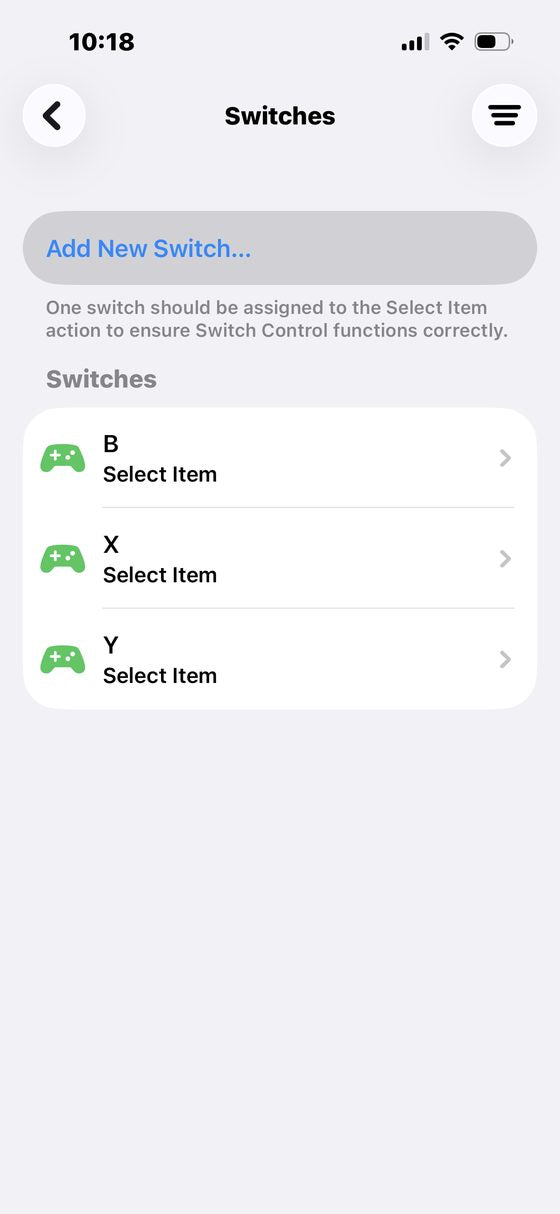 4. Add New Switch...
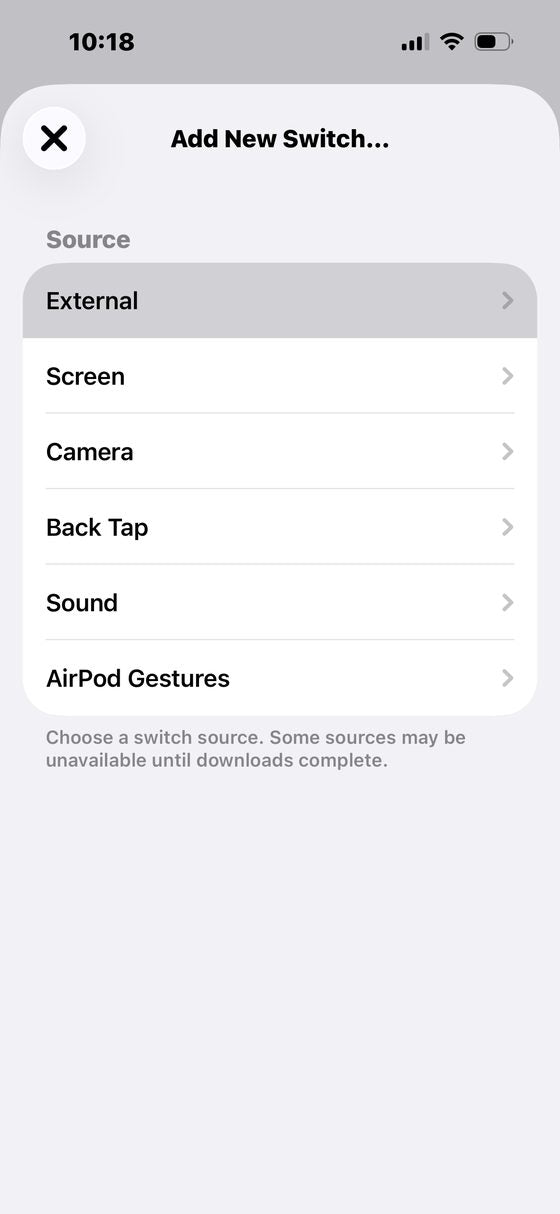 5. Source: External
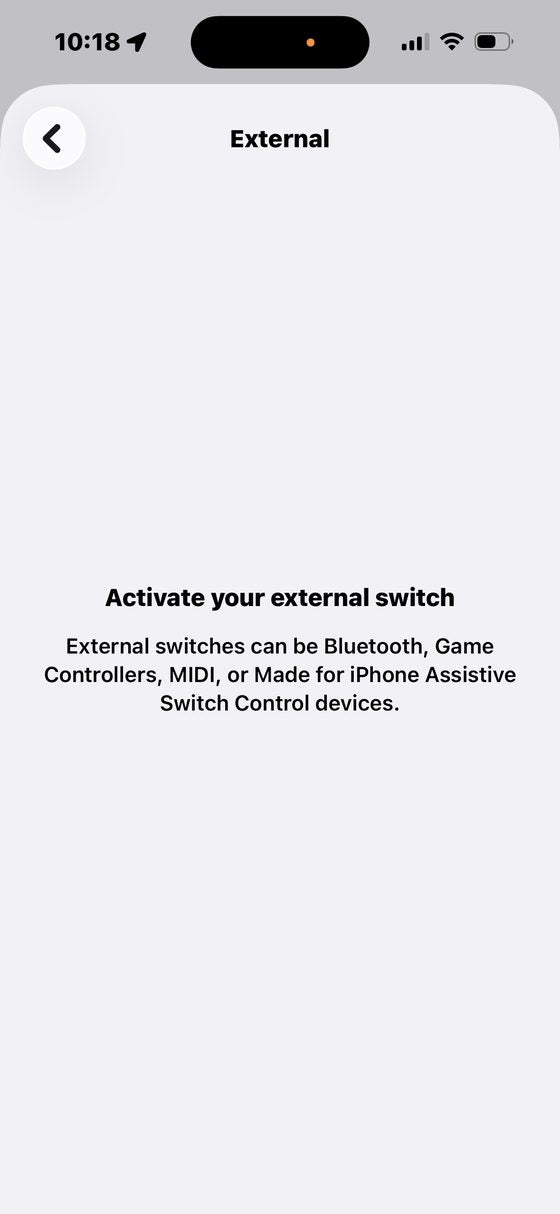 6. Press the button on the remote you want to use
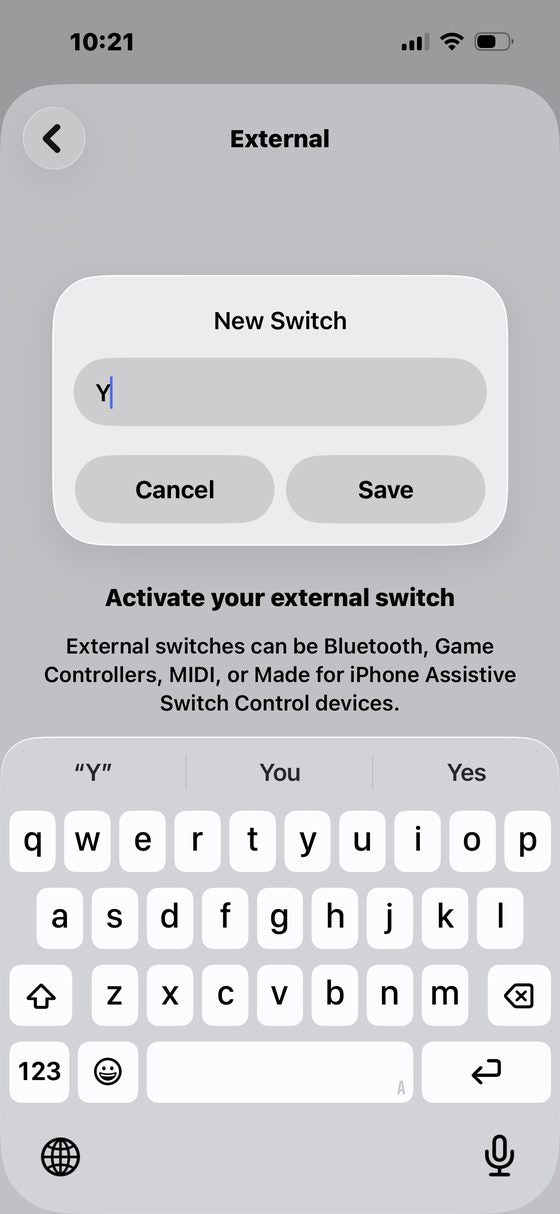 7. Name it after the button (Y, B, X) and Save
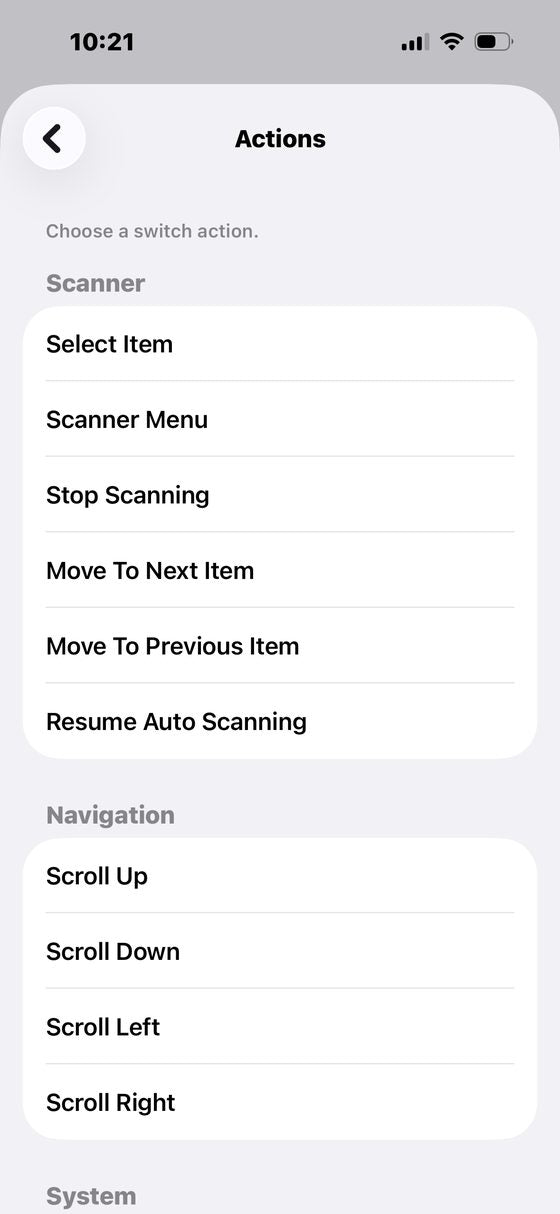 8. Choose Select Item as the action
Part 2: build the Quizlet recipe
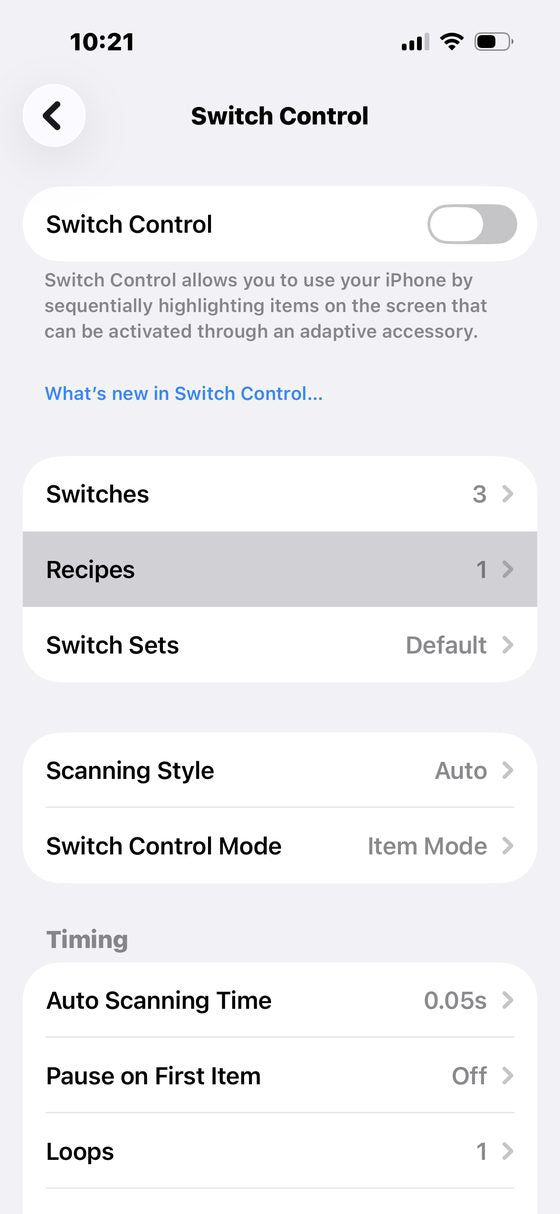 9. Back to Switch Control → Recipes
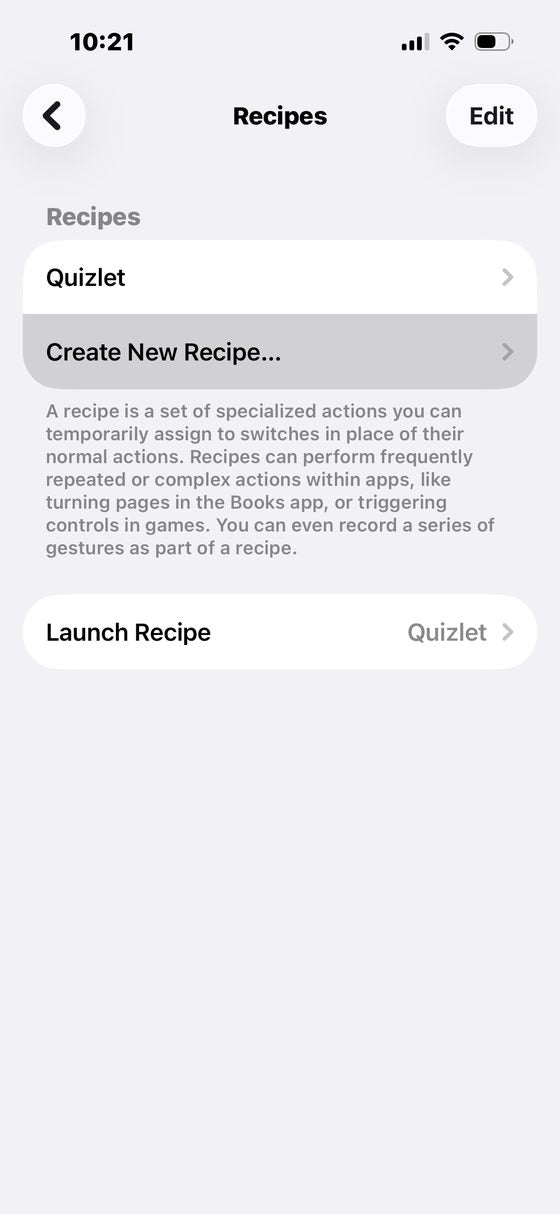 10. Create New Recipe...
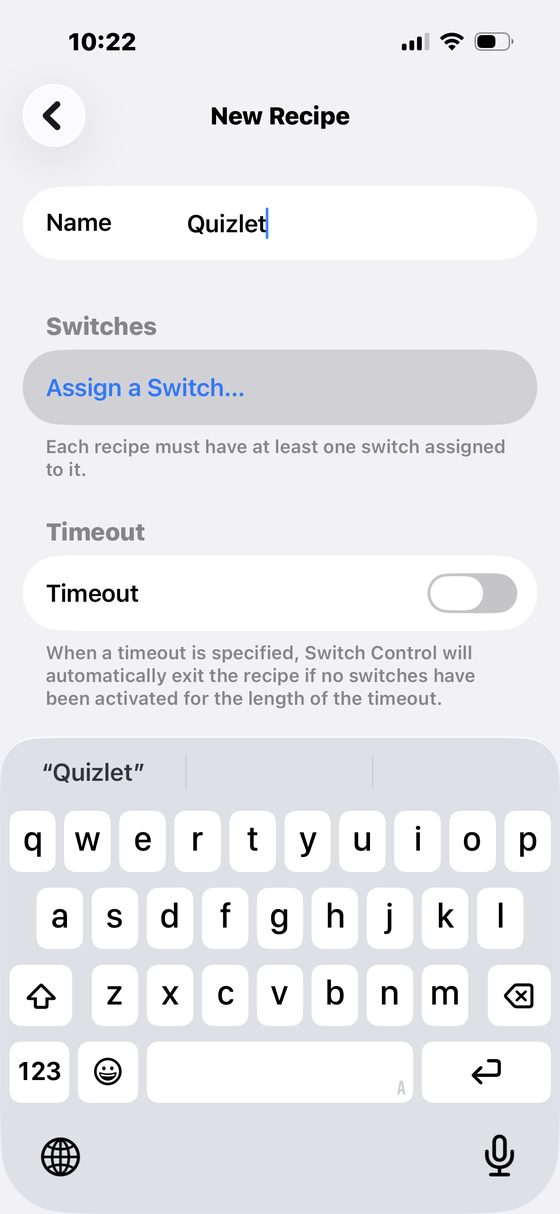 11. Name it Quizlet, then Assign a Switch...
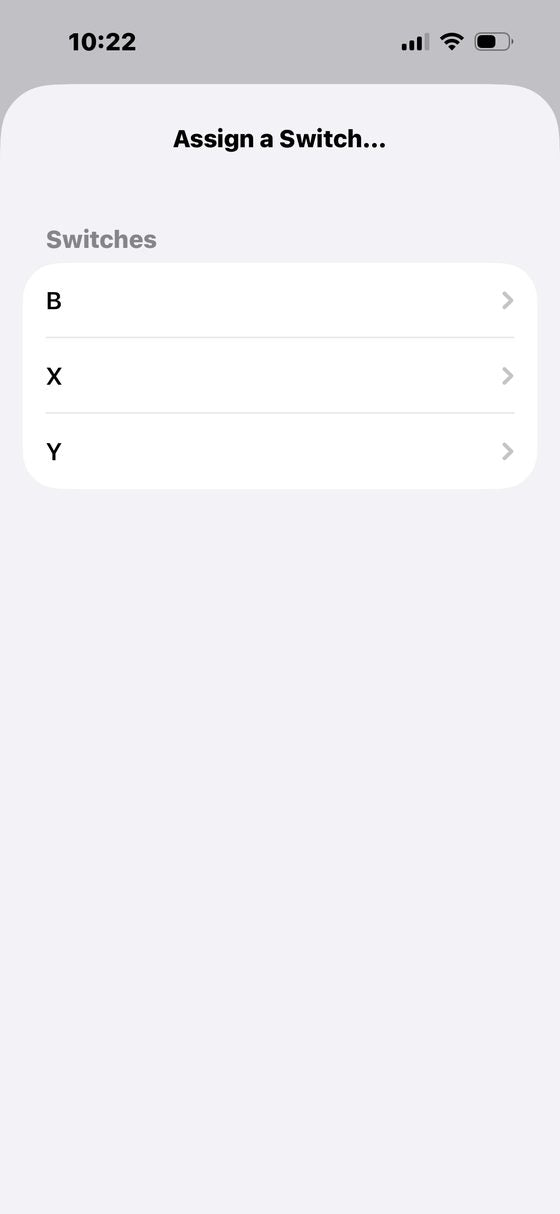 12. Pick one of the switches you just made
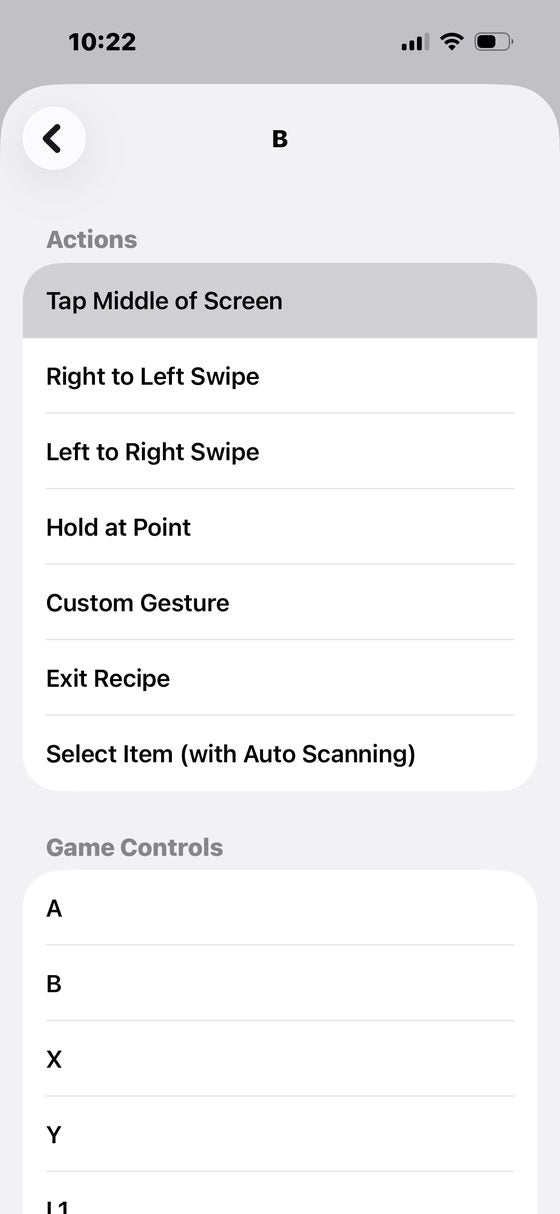 13. Choose what it should do
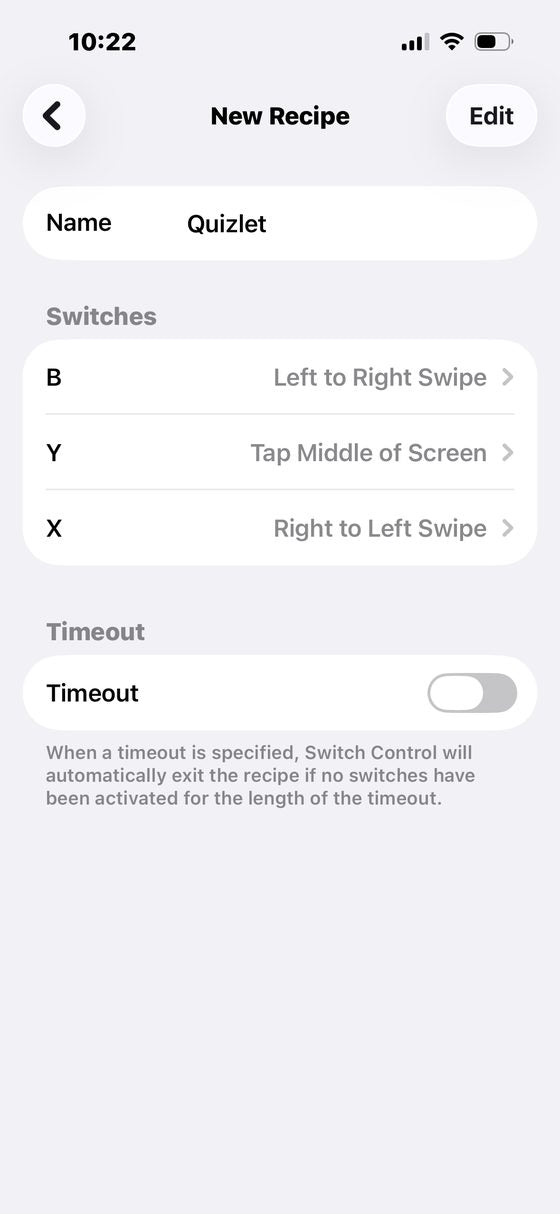 14. All three assigned, like this
The mapping that matches Quizlet:
- Y → Tap Middle of Screen (flip the card)
- B → Left to Right Swipe (Know)
- X → Right to Left Swipe (Still learning)
Part 3: turn it on
15. In Recipes, set Launch Recipe to Quizlet
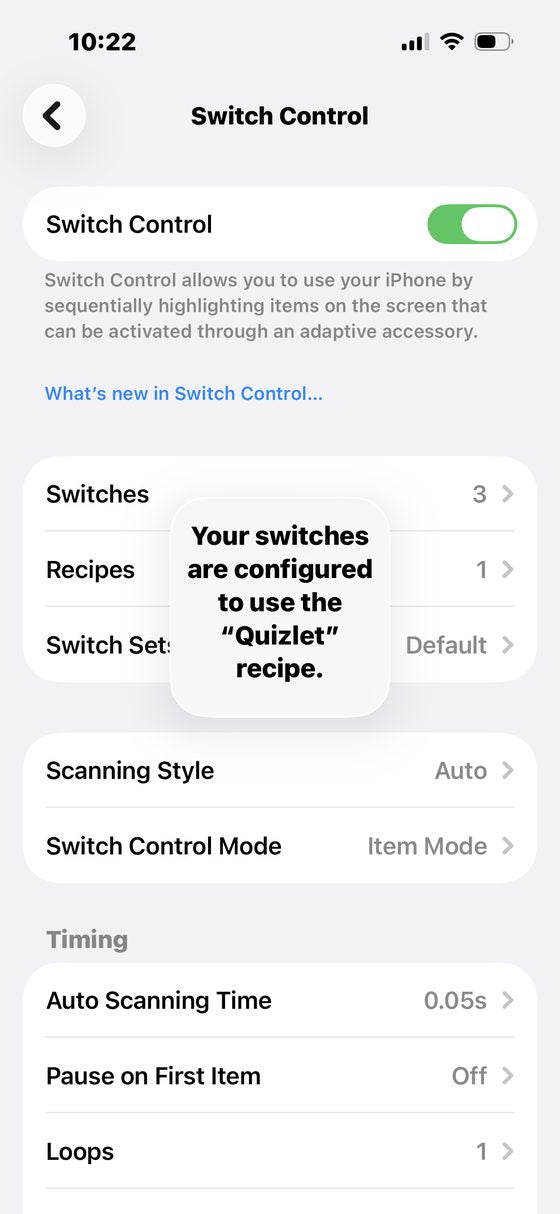 16. Turn Switch Control on. You will see the Quizlet recipe confirmation.
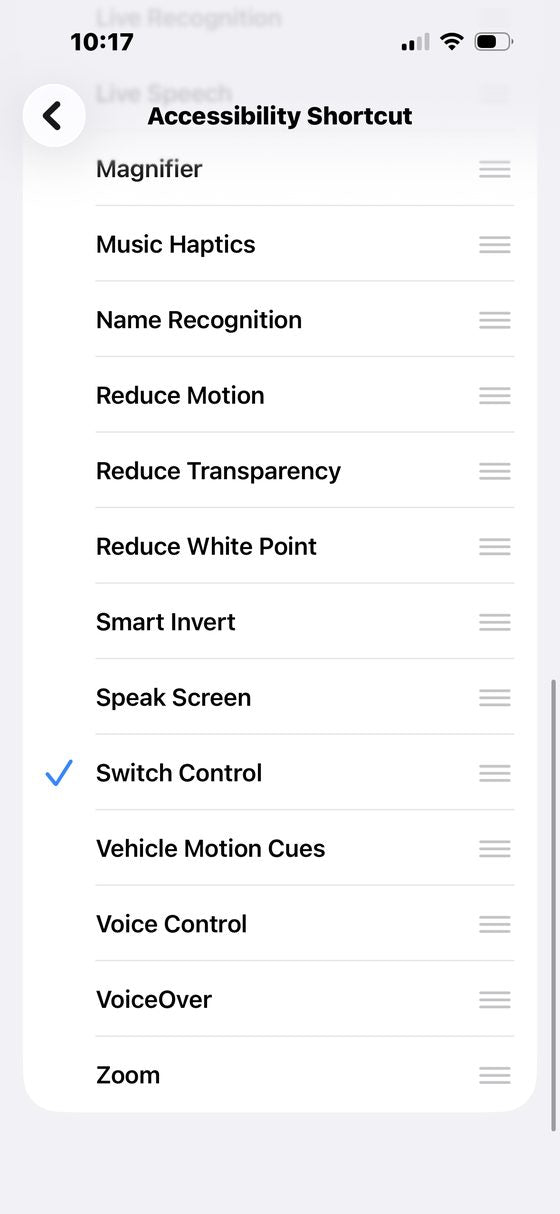 Tip. Add Switch Control to your Accessibility Shortcut to toggle it with a triple-click
Open Quizlet, go into full screen flashcard mode, and you are fully hands free.
If something is not working
- It will not pair: charge it for 30 minutes first, then hold Home + B until the light flashes. If it was paired to another device before, forget it there first.
- Buttons do nothing: reload the tab (browser) or restart the app. If it still does nothing, the remote may be in a different mode: hold Home + B and reconnect.
- It went to sleep: it sleeps after 5 minutes idle. Press Home to wake it.
Still stuck? Email support@memrastudy.com and a person will answer.